Configurations to be made in ALE 2.0 dashboard.
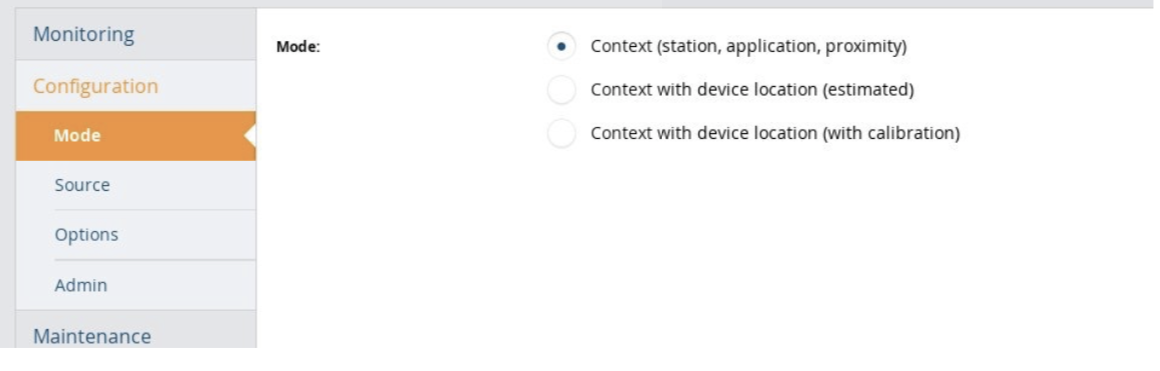
- Select Configuration -> Mode and check 'Context (station, application, proximity)':
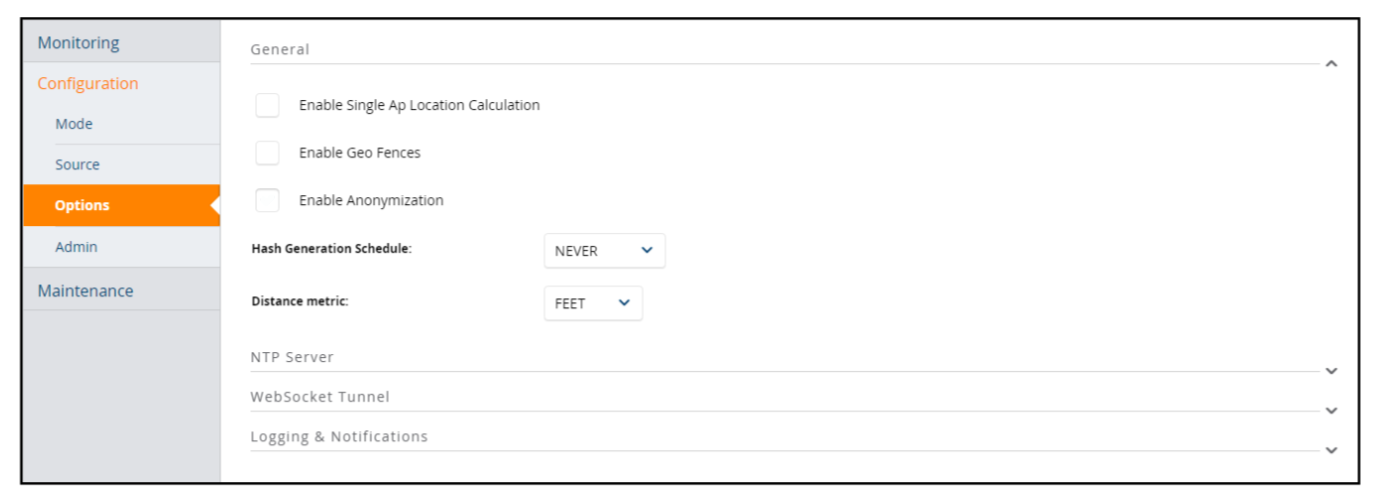
- Go to Configuration -> Options -> General and make sure that 'Enable Anonymization' is OFF
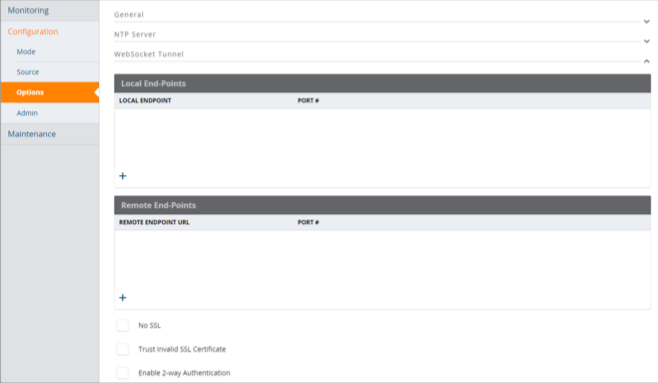
- Go to Configuration -> WebSocket Tunnel
- Add the following LOCAL ENDPOINTS:
- localhost port 7779 (ZMQ API)
- localhost port 8080 (REST API)
- Yo also need to add a REMOTE ENDPOINT URL, but to get the final configuration you need to send an email to support@flameanalytics.com with the following subject: "ARUBA REMOTE ENDPOINT CONFIGURATION REQUEST". In the body put the data of your organization (Name, person of contact, etc).
- Add the following LOCAL ENDPOINTS:
Configurations to be made in Instant Access Point (IAP) or Airwave
IAP configurations
- Go to More -> Services -> RTLS
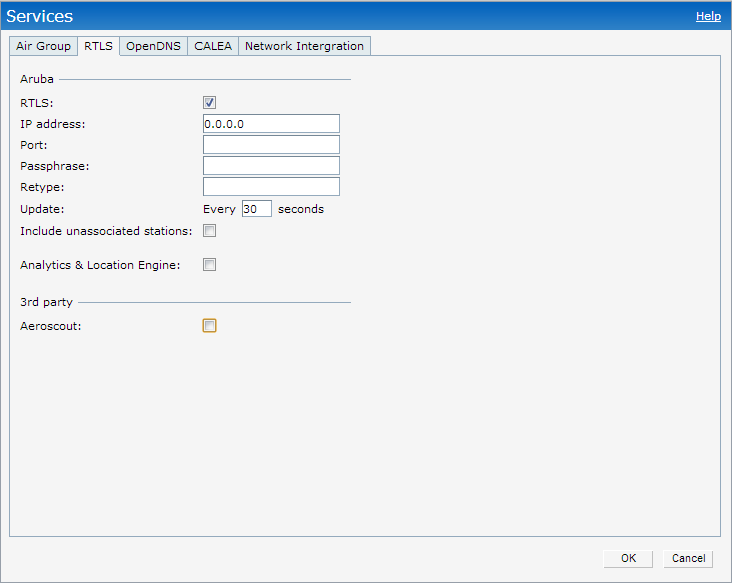
To get the final configuration you need to send an email to support@flameanalytics.com with the following subject: "ARUBA RTLS IAP CONFIGURATION REQUEST". In the body put the data of your organization (Name, person of contact, etc).
Script installation.
Option 1: Install the script on the client
We need the client to mount a virtual machine with Linux, Debian or any of its derivatives, and that we can access it through SSH from the IP of our office 85.152.14.27.
Option 2: Install the script on the Flame servers
We need access to ports 443 TCP and 7779 TCP of the ALE from the IP's 85.152.14.27 (our office) and 52.17.56.232 (our production server).
Was this article helpful?
That’s Great!
Thank you for your feedback
Sorry! We couldn't be helpful
Thank you for your feedback
Feedback sent
We appreciate your effort and will try to fix the article