Supported sensors (https://www.xovis.com/technology/sensor)
- PC2SE
- PC2RE
- PC3
Data Push
To configure the sending of counts and keep-alive, navigate through the WebUI to Settings > Singlesensor > Data Push and set up the following:
1. Connection
- Add connection +
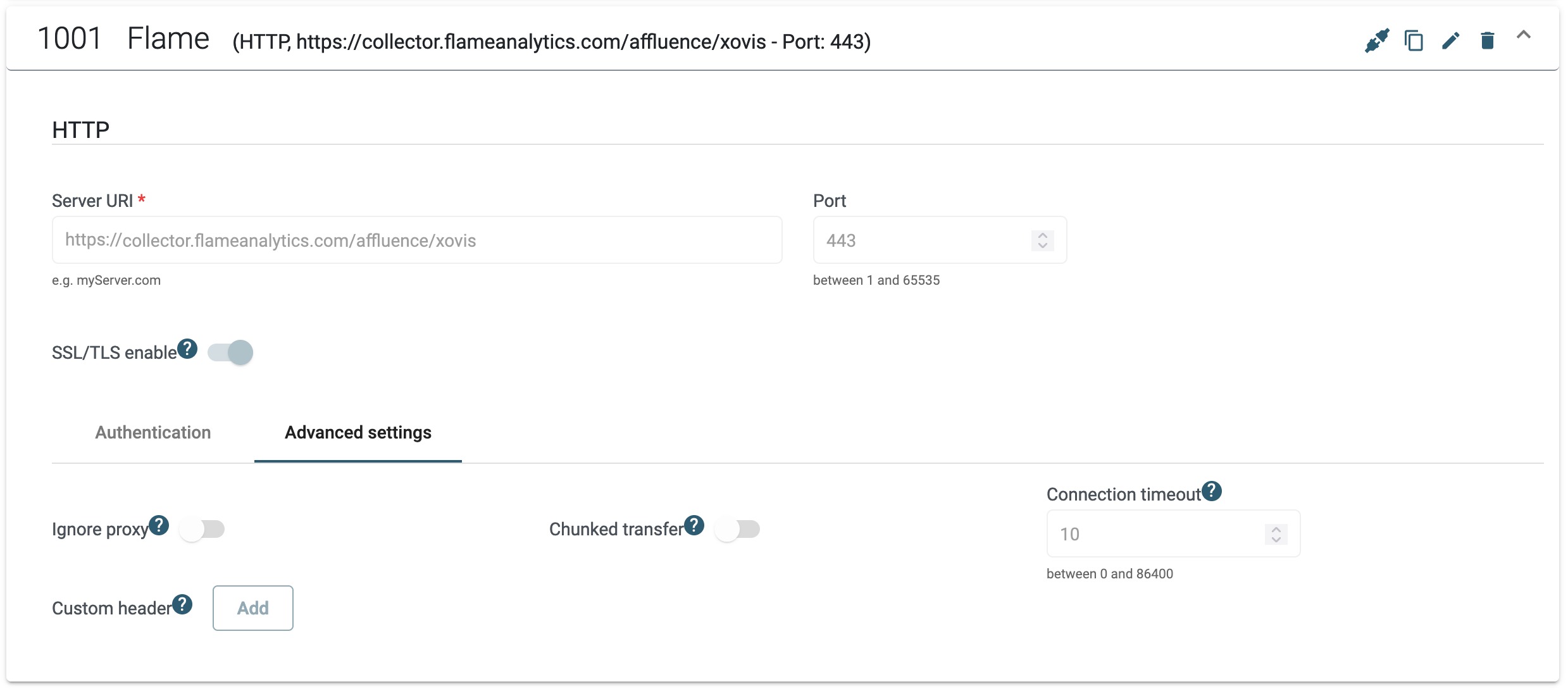
- HTTP / HTTPS connection
- Name: Flame
- Server URI: collector.flameanalytics.com/affluence/xovis
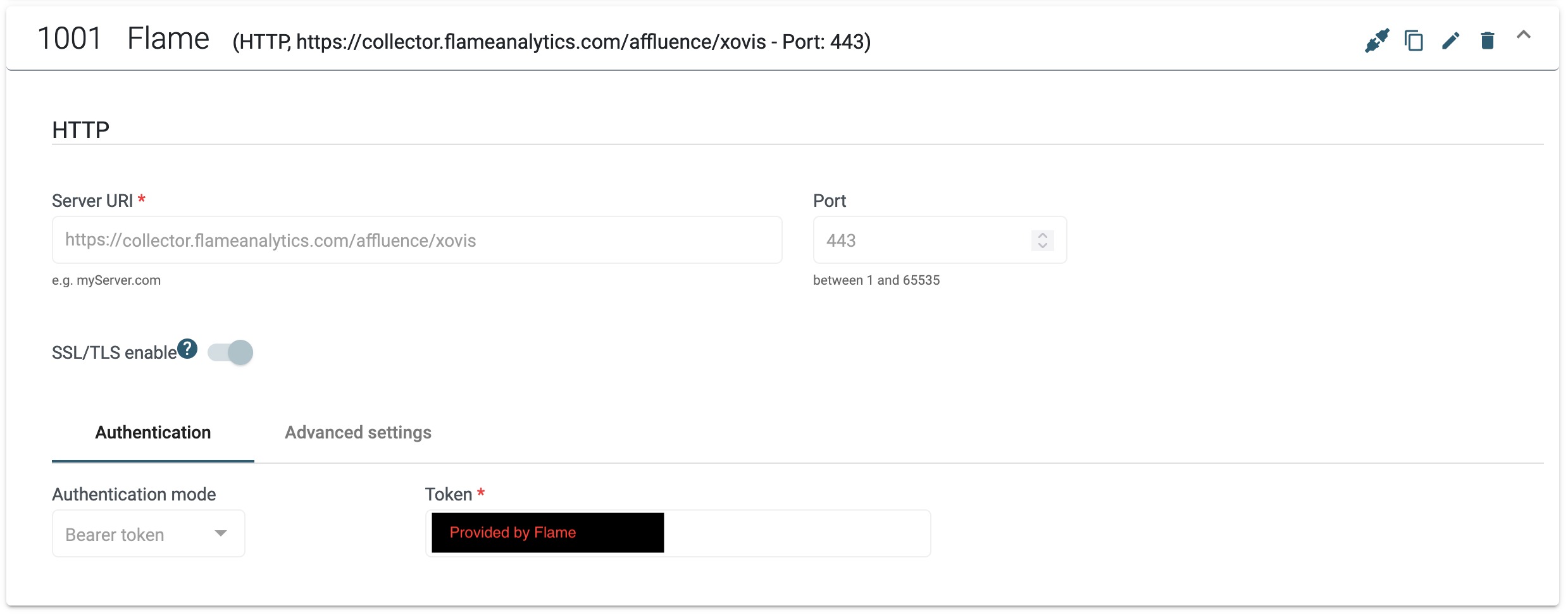
Token: provided by Flame
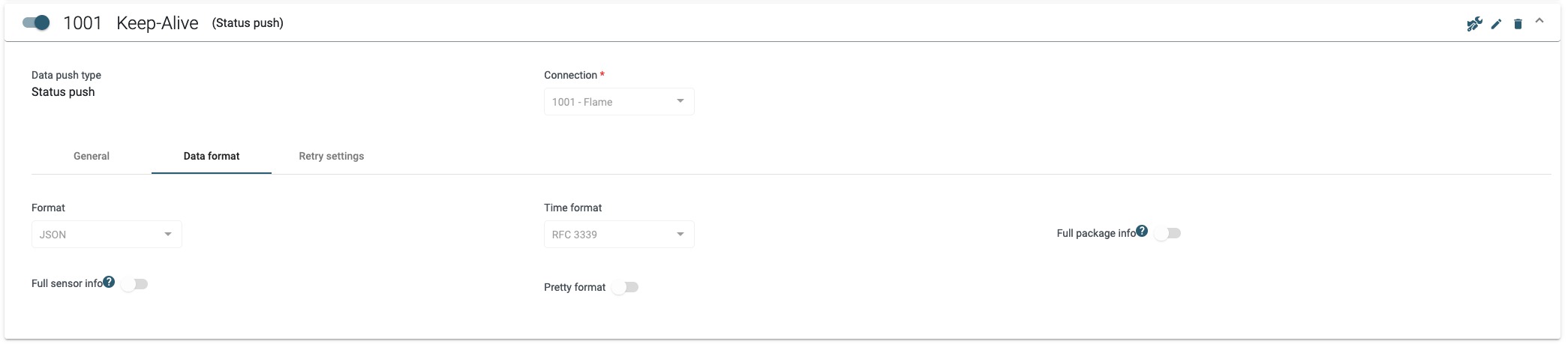
2. Keep-Alive
- Add new agent +
- Status push
- Name: Keep-Alive


3. People counter
- Add new agent +
- Live data push
- Name: People counter
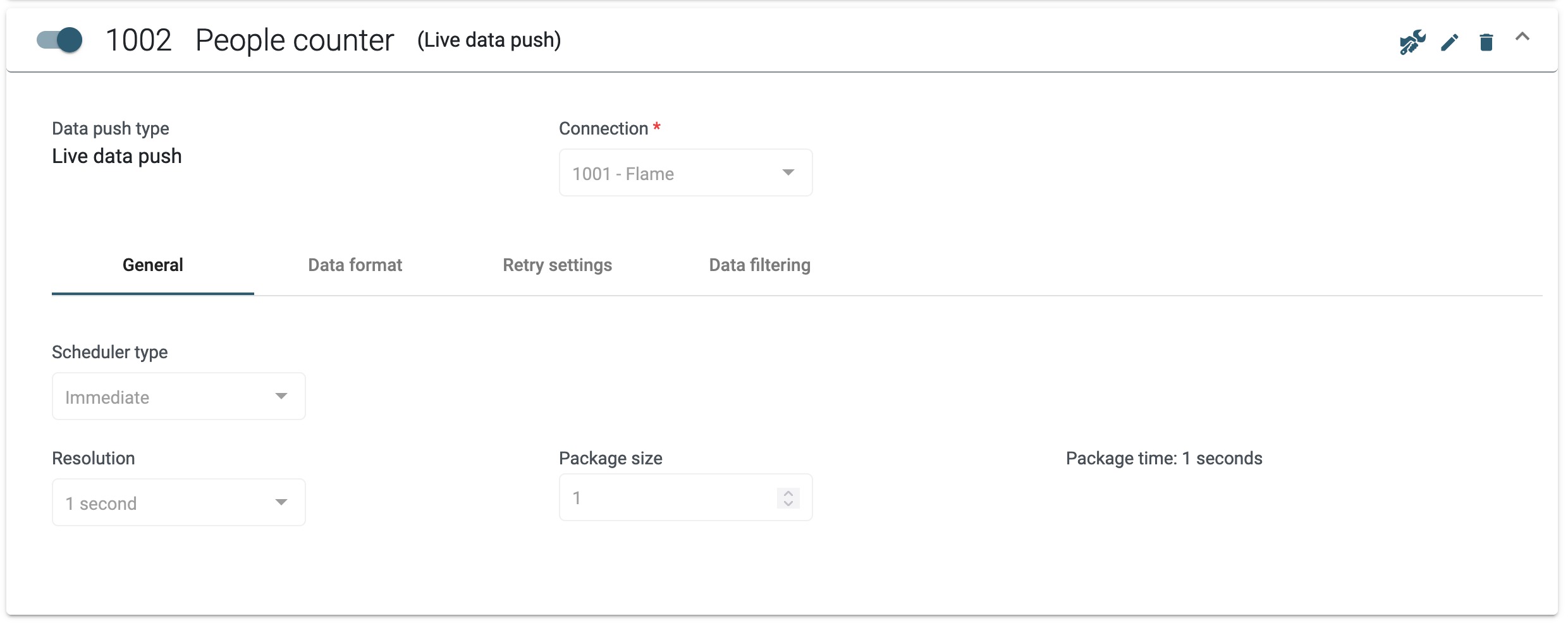
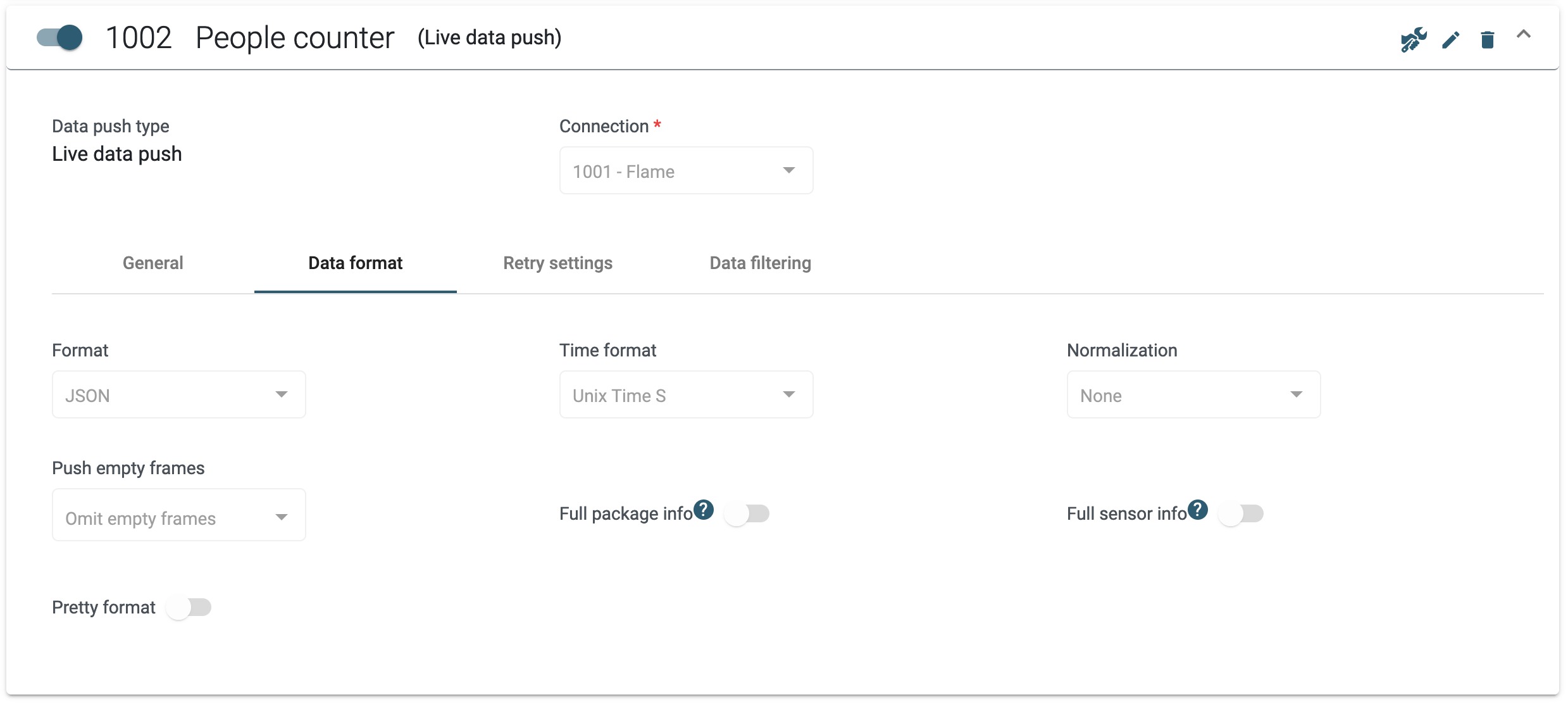
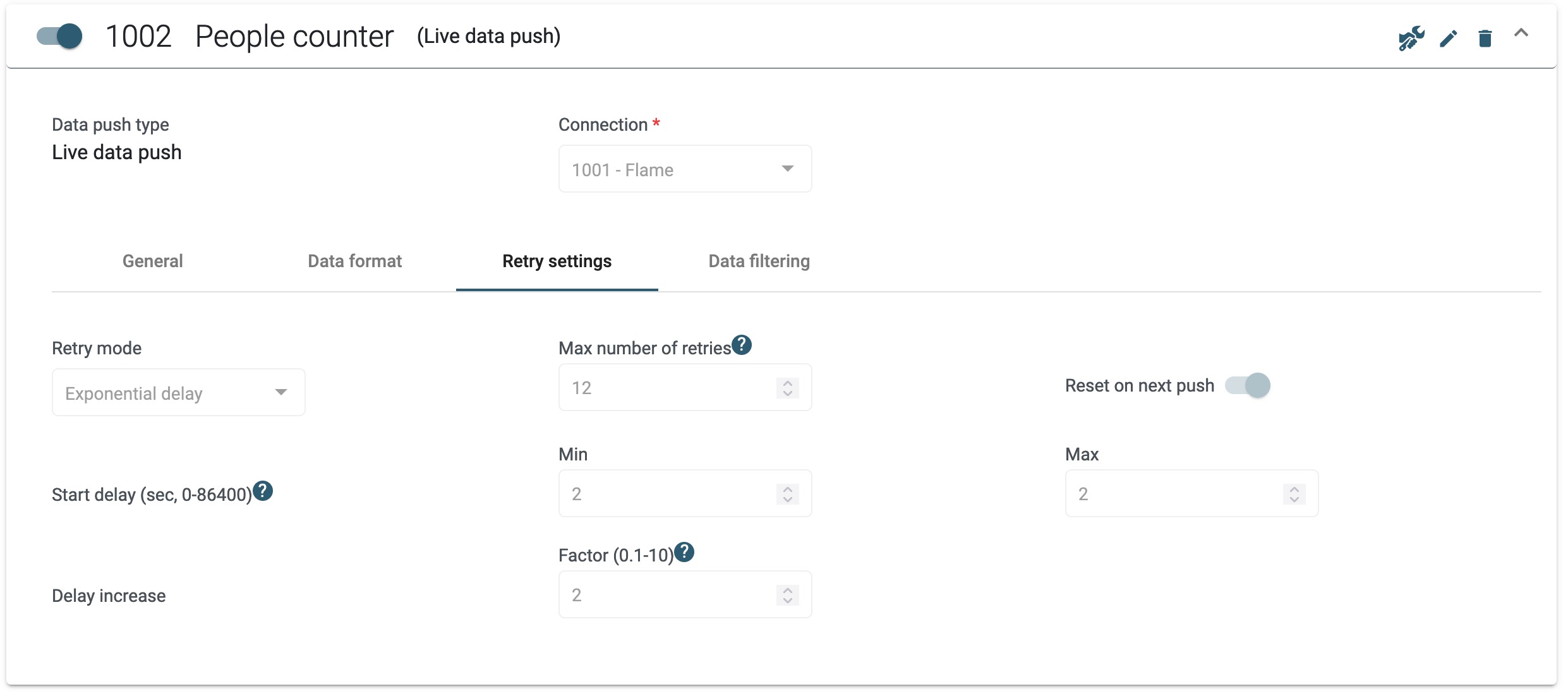
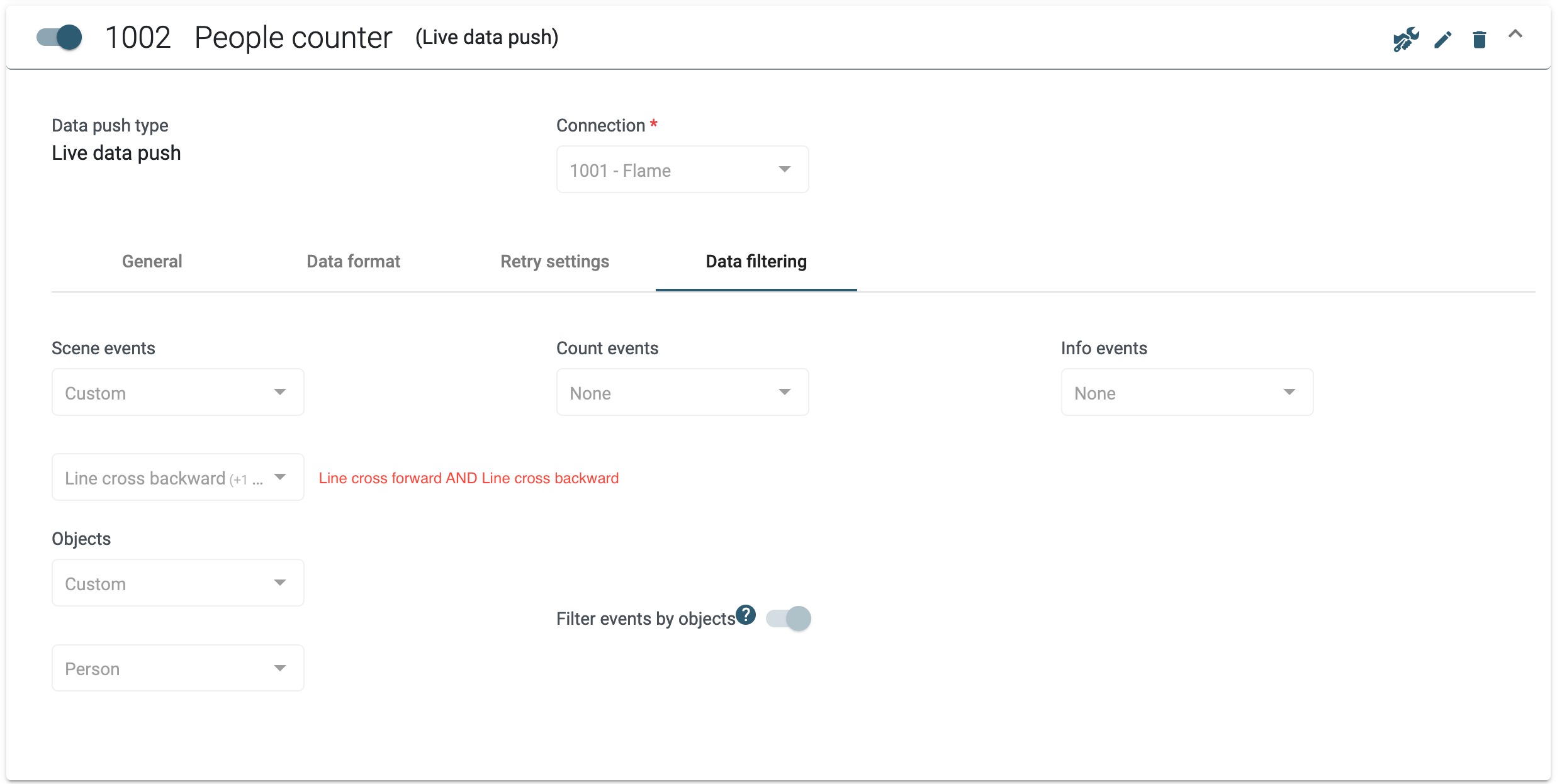
Line cross forward AND line cross backward
Was this article helpful?
That’s Great!
Thank you for your feedback
Sorry! We couldn't be helpful
Thank you for your feedback
Feedback sent
We appreciate your effort and will try to fix the article